This BFCM, a customer could be ready to buy exactly what you sell and never see your product.
Not because you weren't ranking on Google or because a competitor outbid you, but because they asked ChatGPT, Copilot, Google AI Mode or Gemini what to buy, and something else was recommended.
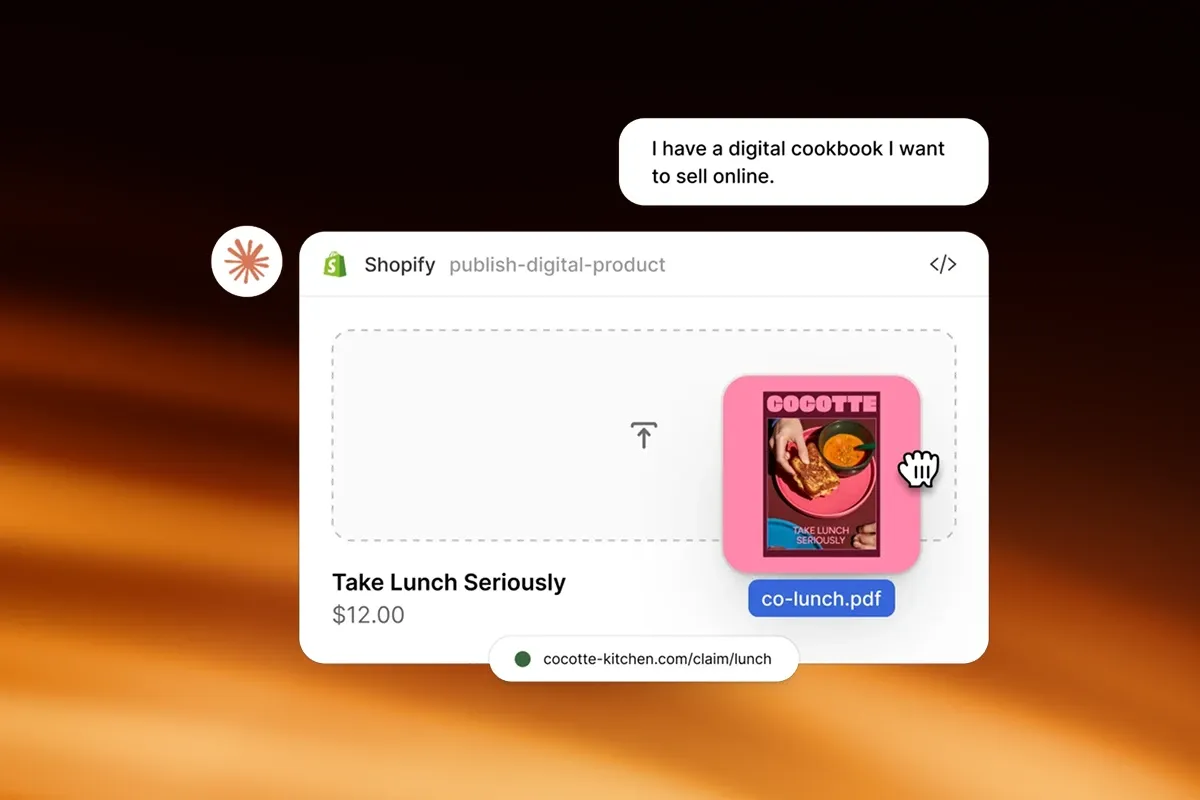
Shopify is already putting merchant products in front of these assistants. Its Agentic Storefronts feature is switched on by default for eligible stores, and lists products across ChatGPT, Microsoft Copilot, Google AI Mode and Gemini, and Meta.
But there is an important distinction between your catalogue being available to an AI platform and your products appearing when a customer asks for a recommendation.
Being discoverable doesn't guarantee you'll be recommended.
And for Australian merchants, what is available depends on which assistant your customer is using.
First, what is actually live for Australian merchants
Shopify's AI channels started with US shoppers and are now opening up, one channel at a time:
- ChatGPT and Microsoft Copilot: your store must sell to customers in the United States to be listed.
- Google AI Mode and Gemini: your store can be based in any country, but must sell to customers in the United States, Canada or Australia. Products are found through Google Merchant Center rather than Shopify's own catalogue, and Shopify describes the channel as still rolling out.
- Meta: your store must sell to customers in at least one of eleven countries, including Australia, New Zealand, the United Kingdom, Canada and the United States.
- Buying inside the chat depends on the channel: US shoppers only on Copilot, shoppers in the US, Canada and Australia on Google as it rolls out, and Meta's listed countries. ChatGPT sends every shopper to your own checkout to pay.
So even if you only sell in Australia, Google and Meta are now open to you, and Google's AI Mode has been live for Australian shoppers since October 2025.
Nothing stops an Australian asking ChatGPT what to buy either. Where Shopify's channels don't reach yet, the answers are built from whatever each assistant can find: websites, retailers, reviews and press.
So the five questions below apply either way. Where Shopify's channels reach your customers, they shape how those channels present you. Where they don't yet, they shape how everything else the assistants read presents you, and you'll be ready as each channel opens here.
1. Can AI actually find and understand your products?
Consider the difference between somebody searching:
"Air fryer Black Friday deals"
and asking:
"I need an air fryer for a family of five. I don't have much bench space, want something easy to clean and have about $300 to spend. What would you recommend?"
The second query gives the AI a much more detailed buying brief. To make a useful recommendation, it needs to understand capacity, dimensions, features, price and suitability, then work out which products best match.
Here is what most merchants don't realise: what Shopify sends to AI is much narrower than your product page. When we inspected what Shopify's catalogue returns for a product, it was a title, a description, options and variants, images, a price, stock status and a star rating. Shopify's developer documentation adds categories and SKUs, documents no barcode or GTIN field, and notes that some fields, including the description, can be "generated or enriched by Shopify".
That has a practical consequence. A fact that only lives in a size chart image, a PDF, a tab added by an app or a review widget may never reach the assistant. Your merchandising team knows those details because they know the catalogue intimately. An AI platform only has the information it can access and interpret.
Before BFCM, we'd be looking closely at whether the product information itself covers:
- materials, dimensions, sizing and specifications
- compatibility and intended use cases
- meaningful differences between models and variants
- current pricing and availability
- warranty, delivery and returns information
- verified reviews
The exact requirements differ enormously between categories, but there's a simple way to approach it:
What would a customer need to tell a knowledgeable salesperson before that person could confidently recommend the right product?
Then check whether your product information gives AI enough to do the same.
Two more things worth knowing:
- Some products aren't in Shopify's catalogue at all. Shopify excludes categories including alcohol, tobacco and vaping, prescription and medical products, weapons, adult products, event tickets and services. It decides the category from your product information, which can differ from the category you set in your admin.
- If your best product details live in metafields, Shopify's product data mapping lets you point the title and description it sends to AI at those fields instead. The category can't be mapped. You'll find it in Shopify admin under Sales channels, then Agentic, then Sources.
Do this week: open Sales channels, then Agentic, in your Shopify admin and use the search preview to run the questions your customers actually ask. Compare what comes back with your product pages.
2. Does AI understand why someone should choose one of your products over another?
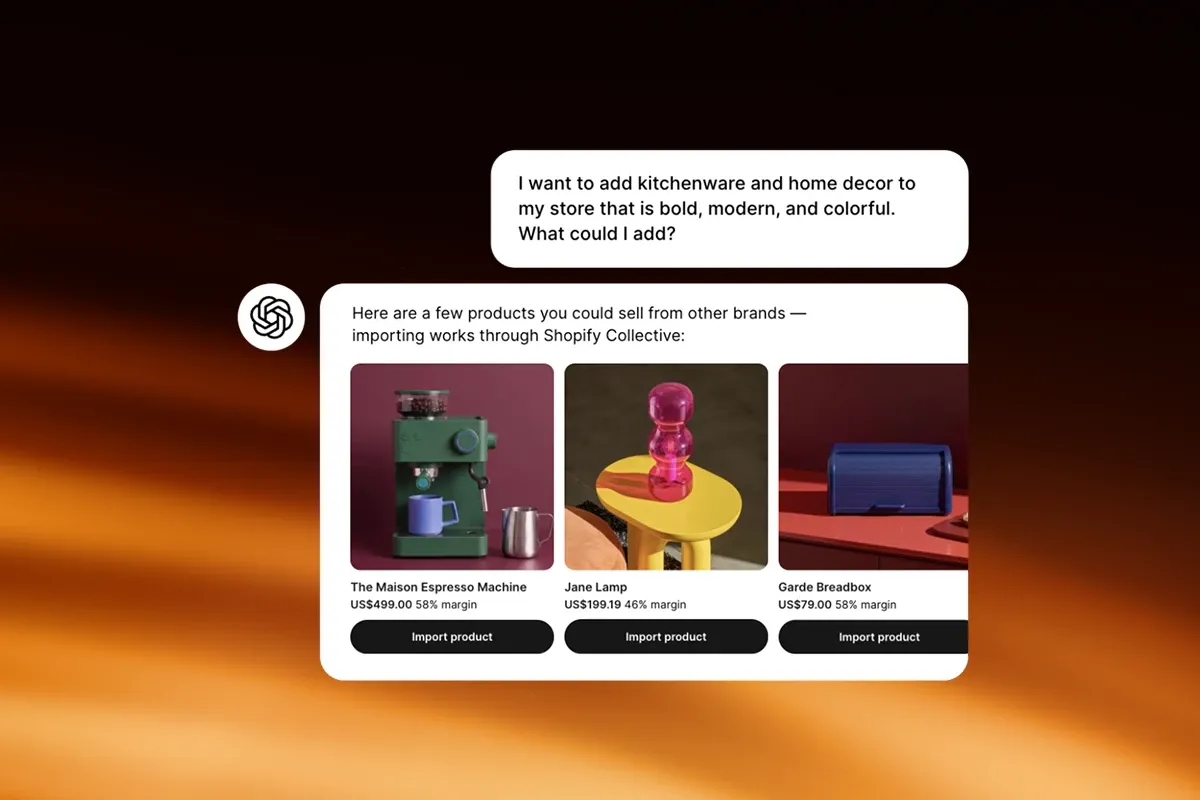
This matters most for merchants selling several products that solve similar problems.
Imagine you sell three versions of the same appliance at $199, $299 and $399. Your team knows exactly why somebody should choose each model, but is that difference clear from the product information an AI platform can see?
A shopper might ask:
"We have a family of six. Is it worth paying extra for the larger model?"
Or:
"I don't need all the premium features. Which model gives me the best value?"
These are exactly the questions conversational shopping is good at, because the customer isn't searching for a product. They're asking for help making a decision.
If the differences in capacity, features, intended customer or use case aren't written down, AI has less to compare. Shopify's own guidance for AI includes adding comparison information with similar products, and the same principle applies well beyond appliances: skincare for different concerns, luggage for different kinds of travel, furniture for different spaces.
If you also sell through retailers, watch for a second problem. In our testing, a search of Shopify's catalogue for a brand's own product name sometimes returned another stockist's listing instead of the brand's.
Product differentiation now needs to be understandable to machines as well as people.
Do this week: for every range with more than one tier, add one plain sentence to each product saying who it is for and what it has that the cheaper option doesn't.
Want to know what AI recommends when your customers ask? Run the Process Agentic Commerce Diagnostic.
3. Is your BFCM offer being represented accurately?
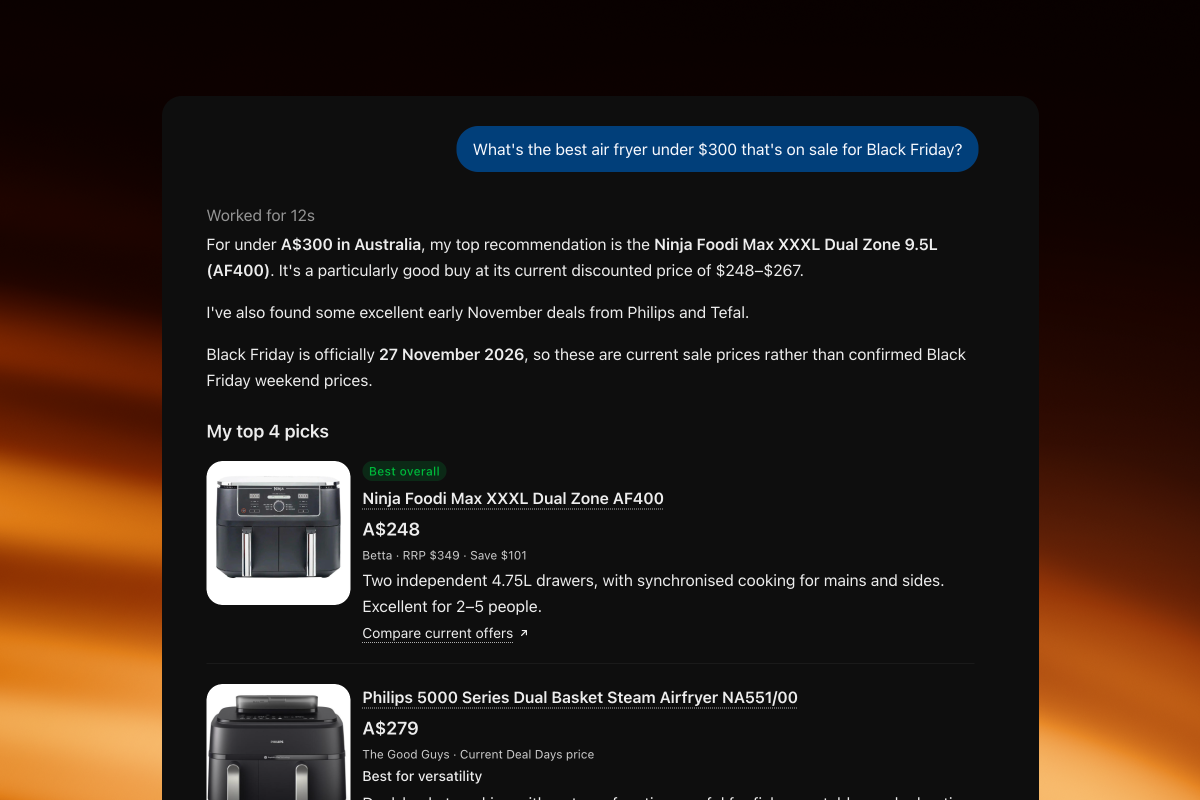
Customers aren't only looking for the right product. They're looking for the right product at the right price.
"What's the best air fryer under $300 that's on sale for Black Friday?"
That answer depends on several things being accurate at the same time: current and promotional pricing, stock, variants, bundle inclusions, specifications and shipping. Three things have changed here recently.
- Your "was" price now reaches AI. Since early October, Shopify sends your compare-at price, the crossed-out price that shows a product is on sale, to AI shopping agents. Shopify switches this on by default for most stores, but switches it off for stores that use the compare-at field for a recommended retail price or another reference price. Check which applies to you in the List price section of the product data mapping page.
- Discount codes are a different story. Shopify confirms discount codes and automatic discounts work at checkout in its AI channels. We haven't seen Shopify say a code changes the price the catalogue shows an assistant. If your BFCM offer exists only as a code, check how the product appears in the search preview before assuming an assistant will describe it as on sale.
- Wholesale pricing stays out. If you sell the same product to retail and wholesale customers, Shopify shows the retail price, and products sold only to wholesale customers are excluded where Shopify can identify them.
Shopify says its catalogue keeps inventory and pricing up to date across its AI channels, but doesn't publish how often it refreshes. When prices and stock are moving fast through the sale period, don't just check the offer looks right on your product page. Check what is being sent outside your storefront too.
Do this week: check your compare-at setting, then preview one product from your BFCM sale and confirm the price and stock an assistant would see.
4. When customers ask AI what to buy, do your products actually appear?
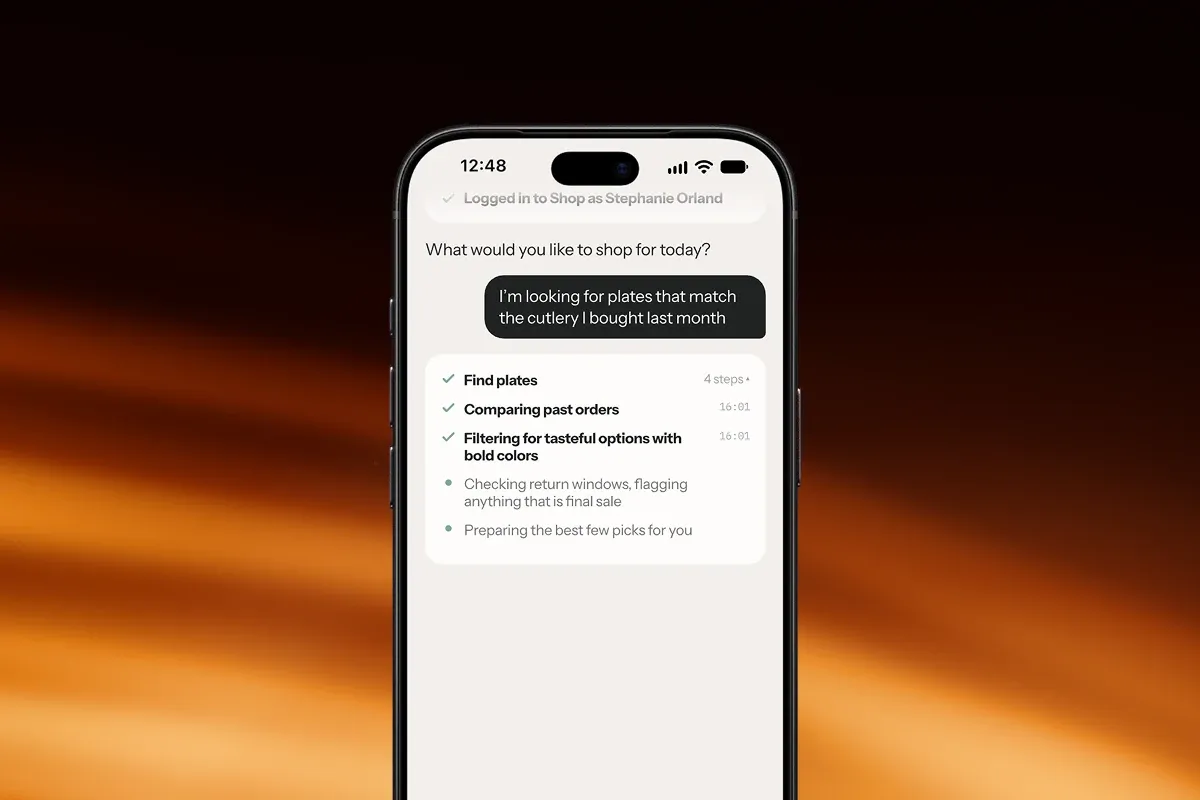
This is the question you can't answer by looking at your Shopify store alone.
Shopify's search preview shows the raw results of its catalogue search, and its Top search queries and Queries where your products appeared sections show where you turn up. Shopify itself calls the preview "a directional signal, not an exact prediction", because, in its words, the AI channels "often re-rank results based on their own logic".
So there's a difference between a product being technically available, being considered relevant and actually appearing in a recommendation. The only way to understand that is to test it.
Avoid asking:
"What are the best products from [your brand]?"
That assumes the customer already knows you. Remove your brand and ask AI to solve the customer's actual problem:
- "What's the best option under $250?"
- "Which one would you recommend for a small apartment?"
- "I need a premium gift for someone who loves cooking. What should I buy?"
- "Which product is suitable for sensitive skin?"
- "What's a good alternative to [competitor product]?"
- "Which of these is actually a good Black Friday deal?"
Then look closely at what comes back. Does your brand appear? Which products, described how? Are the details accurate? Who appears instead?
Two things our own testing taught us:
- Ask more than once. In our testing, the same catalogue search run two minutes apart returned a different set of products. One answer is a sample, not a measurement.
- Ask on more than one assistant. ChatGPT, Copilot, Google AI Mode and Gemini won't necessarily give the same customer the same answer.
Do this week: pick five questions like the ones above and ask them in each assistant, from Australia, on two different days. Keep the answers.
5. When you're not recommended, what can you learn from the answer?
Knowing your product didn't appear is interesting. Knowing what appeared instead gives you something to investigate.
If another brand keeps appearing when shoppers ask for products suitable for small spaces, look at how that use case is written up in its product information compared with yours.
If AI keeps recommending a competitor for a feature you also offer, check whether your product has the capability but explains it poorly.
If your product appears but is described inaccurately, find where that information could be coming from. Shopify's Knowledge base, now built into your admin under Sales channels, then Agentic, holds the store information AI platforms use to answer questions about your store. Shopify said of the app it replaces that it improves accuracy but "doesn't affect how often your store appears", so treat it as a fix for accuracy, not visibility.
None of this lets you say definitively why a model made a particular choice. AI recommendation systems are more complicated than that. But the answers expose patterns, and they give ecommerce teams much better questions to investigate than an "AI readiness" checklist ever will.
Do this week: for every question you lost, note who won, then put their product title and description next to yours.
We wanted to see what the customer actually sees
There's plenty of advice about preparing stores for AI discovery: structured data, feeds, product descriptions, crawler access. Those things matter. But they don't answer one fundamental question:
What happens when someone actually asks for a product like yours?
That's why we built the Process Agentic Commerce Diagnostic.
We ask Shopify's product catalogue the questions your customers ask, in their words, and show you exactly what came back, including who appeared when you didn't.
Not a checklist. A transcript.
Every finding comes with the exact question that produced it, so you or anyone you trust can run it again. It shows the catalogue that sits underneath Shopify's AI channels rather than any one assistant's final answer, so it pairs naturally with the checks in question 4.
We've run it on 34 Shopify stores on its current version. The median score is 38 out of 100, the best is 69, and 94% score below what we'd call competitive. Most stores have work to do.
Before BFCM: five things to do this week
- Run the search preview under Sales channels, then Agentic, using your customers' own words.
- Write down the differences between products in the same range, one plain sentence each.
- Check your compare-at setting, and preview one sale product to see the price an assistant would see.
- Ask five brand-free questions in ChatGPT, Copilot, Google AI Mode and Gemini, on two different days.
- Study who won the questions you lost, and compare their product information with yours.
Google, paid media, email, social and your onsite experience aren't becoming less important this BFCM. AI adds another discovery layer to the mix, and Shopify merchants need to see how their products are represented there too.
Find out what AI is recommending
AI is already recommending stores like yours.
The question is whether it is recommending you.
The Process Agentic Commerce Diagnostic asks Shopify's product catalogue the questions your customers ask, and shows you exactly what came back.